# GL Category

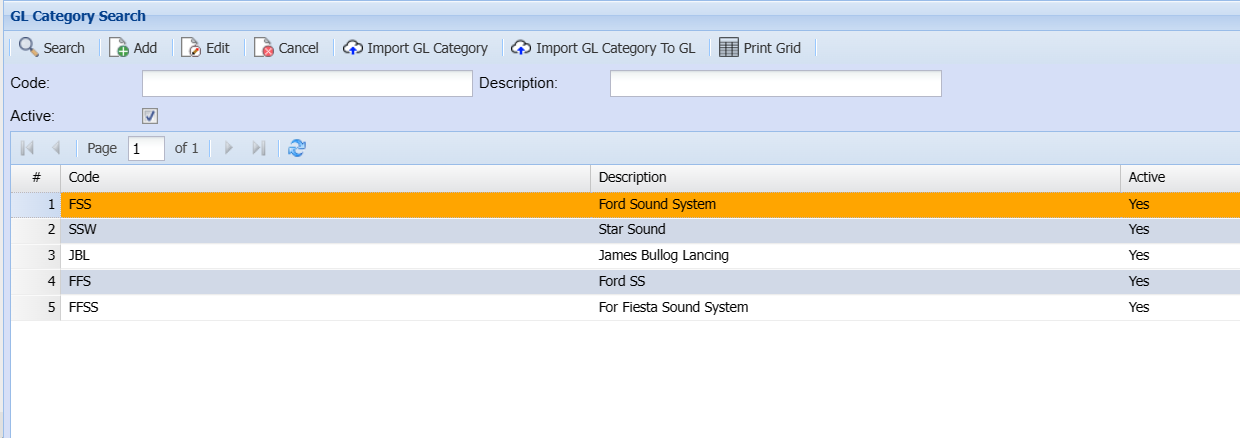
<span style="color: rgb(45, 194, 107);">**<span class="ts0">General Ledger&gt;Configuration&gt;GL Category Search</span>**</span>

<span class="ts0">Setting up GL categories for reporting in the system</span>

<span class="ts0">These categories are defined in multiple reports and exports to allow you to group reports.</span>

[![image.png](https://hugeerp10.co.za/hsofmanual/uploads/images/gallery/2024-05/scaled-1680-/Im4image.png)](https://hugeerp10.co.za/hsofmanual/uploads/images/gallery/2024-05/Im4image.png)

<table border="1" id="bkmrk-import-gl-category-%C2%A0" style="border-collapse: collapse; width: 100%;"><colgroup><col style="width: 25.4939%;"></col><col style="width: 74.6297%;"></col></colgroup><tbody><tr><td>**Import GL Category**</td><td> </td></tr><tr><td>**Import GL Category To GL**</td><td>  
</td></tr><tr><td>**Print Grid**</td><td>  
</td></tr></tbody></table>

---

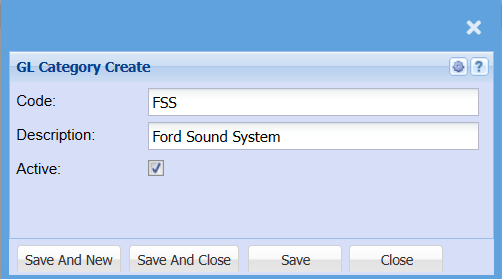
### Add or Edit GL Category

[![image.png](https://hugeerp10.co.za/hsofmanual/uploads/images/gallery/2024-05/scaled-1680-/dQFimage.png)](https://hugeerp10.co.za/hsofmanual/uploads/images/gallery/2024-05/dQFimage.png)

<table border="1" id="bkmrk-code-description-act" style="border-collapse: collapse; width: 100%;"><colgroup><col style="width: 13.5186%;"></col><col style="width: 86.605%;"></col></colgroup><tbody><tr><td>**Code**</td><td>  
</td></tr><tr><td>**Description**</td><td>  
</td></tr><tr><td>**Active**</td><td> </td></tr></tbody></table>