Expense Setup Menu
Expense Add
Expense setup allows you to create expenses to be used by your team for GRV and Journal transactions
CRM Module> Configuration> Expense Setup
Expense Category
Expense category allows you to create a main group for the expense
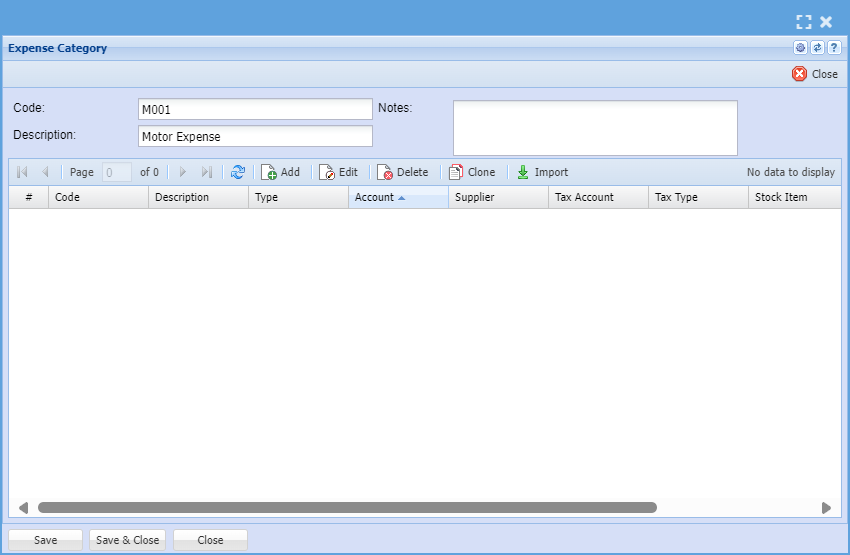
| Code | |
| Description | |
| Notes | |
| Grid |
Expense Subcategory
This allows you to add all expenses related to the expense category

| Type | |
| Code | |
| Description | |
| Journal Transaction | |
| Stock Item | |
| Journal Admin | |
| Account | |
| Tax Account | |
| Tax Type | |
| Division | |
| Region | |
| GRV Type |
Expense Setup Search
This screen allows you to search for a expense set up
If you don't put filter your search this will bring up expenses
CRM Module> Configuration> Expense Setup
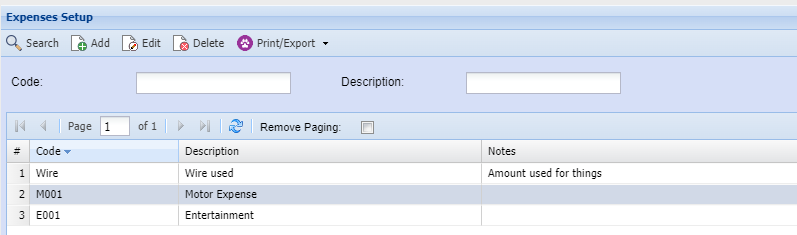
| Code | |
| Description | |
| Print/ Export |
To add a new expense category or to edit an existing one click here