# Add Creditors Email Mailing List
Add Supplier Bulk E-mailing List
**Creditors> Configuration> Email mailing List**
- Click "**Add**"
[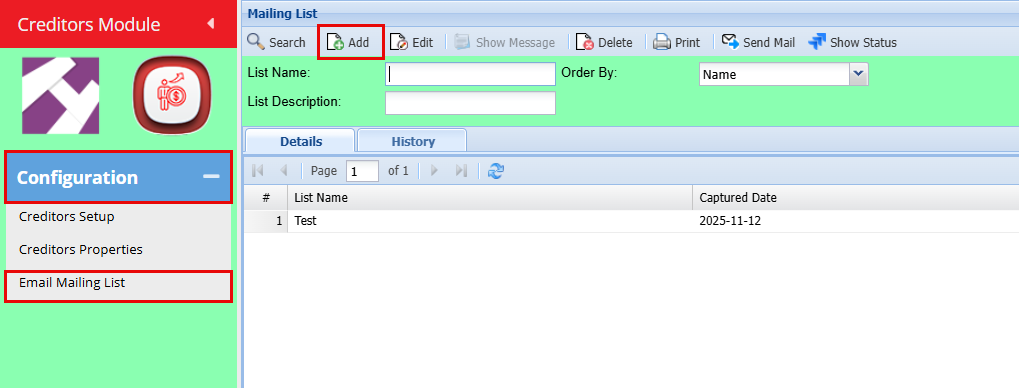](https://hugeerp10.co.za/hsofmanual/uploads/images/gallery/2025-11/9j6image.png)
- Add the Mailing **List Name** and a **Description**
- Click "**Save**"
[](https://hugeerp10.co.za/hsofmanual/uploads/images/gallery/2025-11/MdIimage.png)
**List Name**
Enter a name or code for your list
**List Description**
Enter a description for the list
**Add**
Add button opens up Creditors setup function that allows you to select from your supplier contact the email to add on the list.
Once you click "**Add**" you will have the below screen open.
- Select your preferred Creditors you would like to email by using the **drop-down menus**, if you want to send it to all, leave the selection as "**All**"
- Click "**Add Creditors**"
[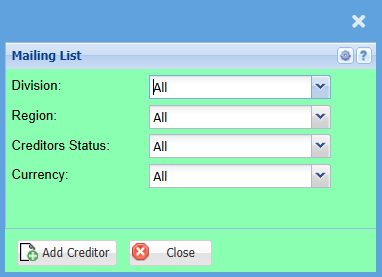](https://hugeerp10.co.za/hsofmanual/uploads/images/gallery/2025-11/v3Iimage.png)
By clicking "Add Creditors" the system will create your mailing list.
Here you can "Add" more creditors and can "**Delete**" the ones you want to remove.
Click "**Save**"
[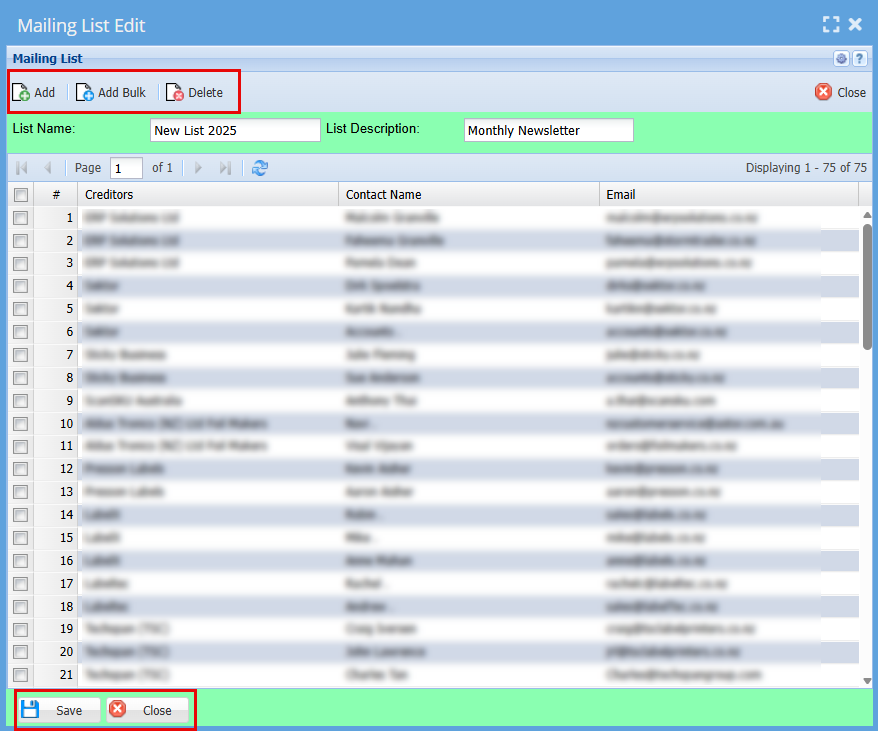](https://hugeerp10.co.za/hsofmanual/uploads/images/gallery/2025-11/dhoimage.png)
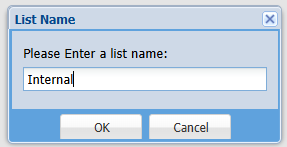
You will be prompted to Name this list
- Click "**Ok**"
- Click "**Close**"
[](https://hugeerp10.co.za/hsofmanual/uploads/images/gallery/2025-11/QlXimage.png)
---